Redaction Done Right: Removing Text vs Hiding It — The Difference That Leaks
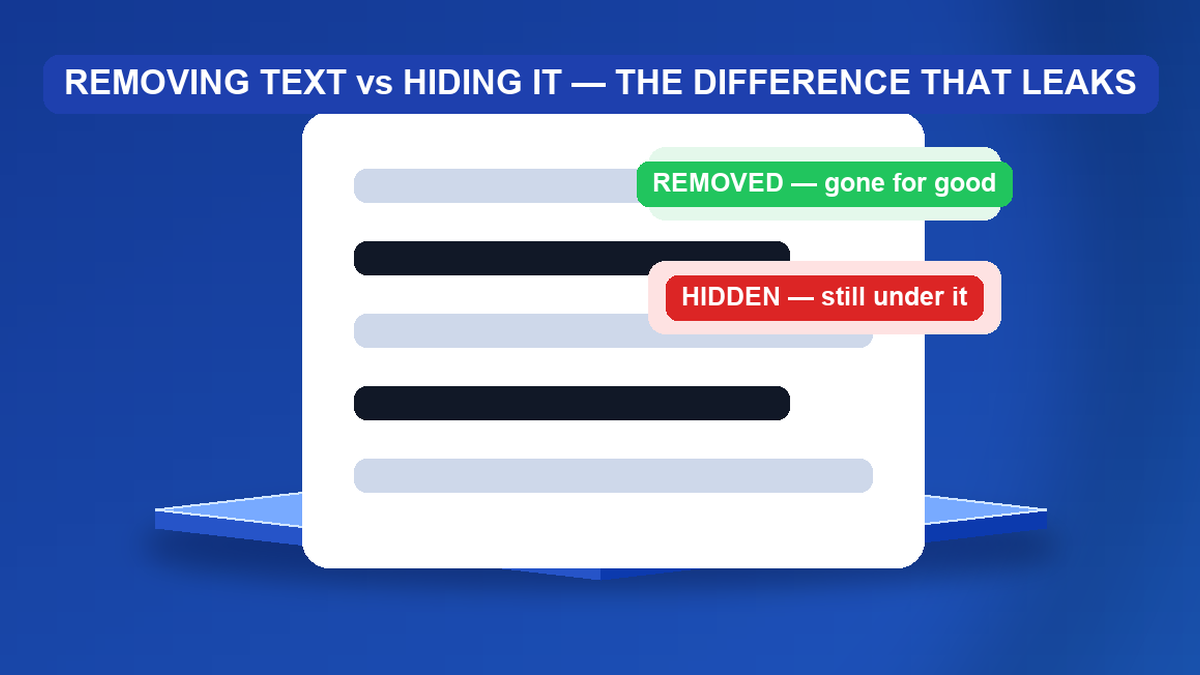
Redaction failures are not tool failures — they are concept failures. Drawing a black box over a secret hides it exactly as much as putting a sticker over your name on an envelope: the envelope still carries the letter. Here is the difference, and the verification step that proves your redaction worked.
Why covering leaks
The text under the black box is still a text object in the file. Copy-paste the area, run an extractor, or simply click and drag — the "redacted" words return. Courts, newspapers and governments have all published leaks this way. The box is a visual layer; the data is unchanged beneath it.
What true redaction does
- Deletes the characters from the content stream — not a layer above them.
- Removes the hidden copies: text can exist in annotations, form fields, embedded attachments, and the document's metadata.
- Rewrites the file cleanly so earlier revisions do not carry the secret in an appended history.
- Draws the marking on a page that no longer contains the information.
Redact PDF follows this model: the marked text is removed from the document, and the marking is applied to a page that cannot give it back.
The verification step (never skip it)
After redacting, try to defeat your own work: select over the blacked-out area (nothing should highlight), copy-paste into a text editor (nothing should appear), and run a text search for the secret terms (zero hits). If any of the three returns content, the redaction failed.
A five-minute redaction routine
Proper redaction is a sequence, not a single click. First, work on a copy — the original should stay untouched as evidence of what existed. Second, draw the redaction boxes over the text you want gone, making sure each box fully covers the characters including their descenders; a box that clips half a word can leave the rest readable underneath. Third, run the removal — real redaction deletes the text objects from the file, it does not paint a black rectangle over them.
Fourth, verify by selecting: try to select and copy the redacted area in any viewer. If selectable text comes out, the words are still in the file. Redact PDF removes the underlying text objects as it draws the bars, which is what makes the output safe — and it all runs in the browser, so a sensitive document never reaches a server while you work.
Seven Hidden Places Sensitive Data Survives Inside a PDF
High-profile redaction leaks rarely happen because someone forgot to draw a black bar; they happen because a PDF file stores multiple parallel representations of the same page. Even when visible body text appears covered on screen, an opposing counsel, journalist, or automated scraper can inspect the raw object graph and recover sensitive strings from seven distinct locations:
- Partially overlapped
TJglyph strings: PDF writers group whole words or lines into single positioned string arrays. A vector tool that deletes only characters whose bounding boxes sit 100% inside a drawn rectangle can leave edge characters—or kerning-grouped substrings—intact in the stream. - Uncropped
/MediaBoxbleed zones: Cropping a page adjusts its visible/CropBoxrectangle without deleting drawing instructions outside that frame. Sensitive margin notes, fax headers, or account numbers cropped off the top edge reappear the instant anyone resets/CropBoxto/MediaBox. - Appended incremental-save revisions: When a document edited over several rounds is saved incrementally, earlier
%%EOFsections still hold the pre-redacted content streams verbatim at older byte offsets. - Document
/Infodictionaries and XMP XML packets: Author names, internal project codes, organisation titles, and revision timestamps ride silently inside metadata streams unless explicitly scrubbed with Edit PDF Metadata. - Interactive AcroForm
/Vand/DVentries: A form field carries both a live value (/V), an optional default value (/DV), and a cached appearance stream (/AP). Painting over a form box without flattening or rasterising leaves the underlying field dictionary readable. - Annotation pop-ups and reply chains (
/Annots): Sticky notes, review comments, and highlight pop-up text sit in separate dictionary objects detached from the main page stream. - Outlines, embedded attachments, and thumbnail previews: Bookmarks (
/Outlines), embedded source spreadsheets (/EmbeddedFiles), and cached/Thumbpage thumbnails can echo headings or figures deleted from the body.
Object-Level Stream Surgery vs Full-Page Raster Reconstruction
PDF engineering offers two fundamentally different ways to destroy marked content: surgical stream editing and full-page raster reconstruction. Stream surgery parses content operators, splits text strings around the redaction box, subsets fonts again, and tries to clip vector paths—a brittle process when pages contain complex Form XObjects, overlapping transparency groups, or scanned handwriting.
Raster reconstruction takes a stricter, leak-proof route. In Redact PDF, once you place black redaction bars (and optional exemption labels) over sensitive areas, every marked page is rendered to a flat pixel bitmap inside your browser and written into a brand-new PDFDocument container, while unmarked pages are copied across cleanly. Rebuilding inside a fresh document matters just as much as rasterising the page: PDF manipulation libraries often leave dereferenced objects sitting in memory when pages are swapped in place, whereas copying into a newly initialised document guarantees that old text streams, hidden /CropBox margins, form widgets, and incremental revisions from redacted pages never enter the saved file.
| Sanitization Method | Underlying Text Stream | Cropped Margin Content | Incremental History | Safe for External Release? |
|---|---|---|---|---|
| Black rectangle shape in a standard editor | Retained intact underneath the shape | Retained | Retained | No — copy-paste or PDF to Text exposes every word. |
| Matching white box or white font colour | Retained intact as invisible text | Retained | Retained | No — Ctrl+A highlights the hidden text immediately. |
| Page cropping alone (Crop PDF) | Retained outside /CropBox | Retained in /MediaBox | Retained | No — cropping is for layout, never confidentiality. |
| Vector object deletion in place | Removed on target text, risky on paths/forms | Often retained | Risk of orphan objects | Conditional — requires forensic object inspection. |
| Raster page rebuild in fresh PDF (Redact PDF) + metadata scrub | Eliminated — marked page becomes flat pixels | Eliminated on marked pages | Eliminated via fresh file write | Yes — pair with Edit PDF Metadata for full hygiene. |
If your deliverable also contains unredacted pages with interactive form fields or review stamps that should be locked before distribution, run the finished file through Flatten PDF and inspect its title, author, and subject properties in Edit PDF Metadata as your final pre-release gate.
Frequently asked questions
Does drawing a black rectangle over text in a PDF hide it?
No — the text remains in the file beneath the box. Selecting, extracting or searching reveals it. Only true redaction, which deletes the characters, is safe.
How do I properly redact a PDF?
Use a tool that deletes the marked text and rewrites the file (Redact PDF), then verify: no selection over the marked areas, no search hits, no copy-paste returns.
Can metadata leak redacted information?
It can — document properties sometimes carry author, revision history or hidden text. A complete redaction removes the metadata too, and flattening (Flatten PDF) afterwards keeps layers from being peeled back.