QR Codes That Scan Every Time: Error Correction, Size, Contrast and Encoding
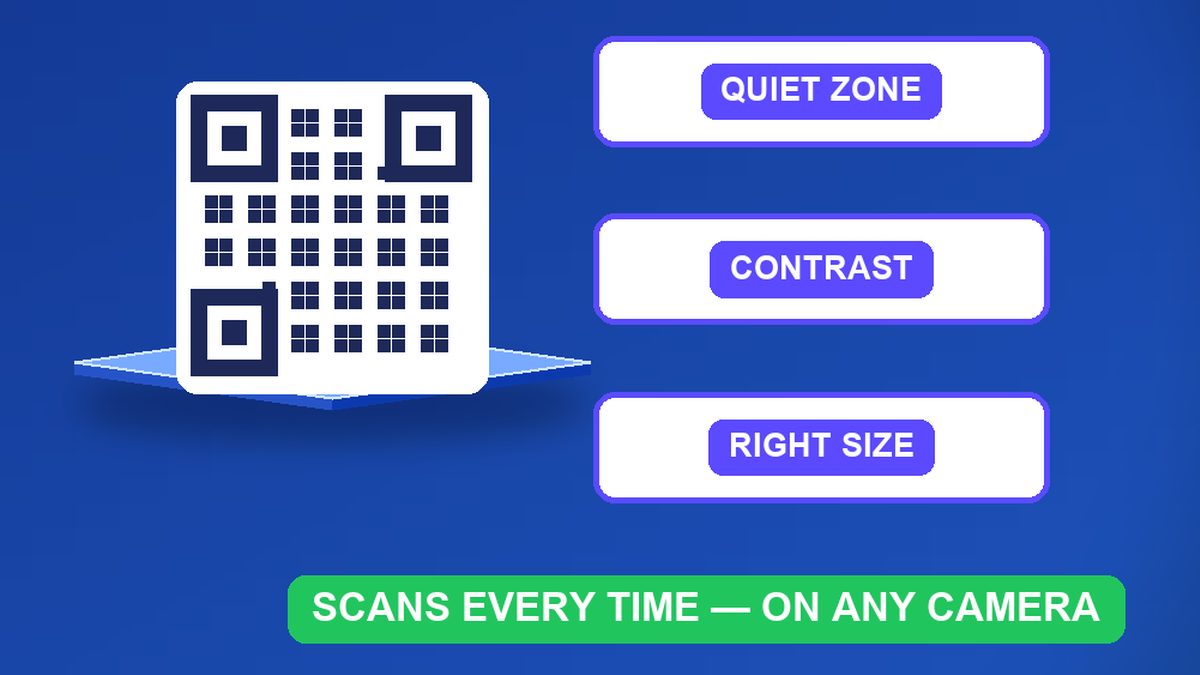
A QR code is binary all the way down, and it either scans or it does not — there is no "scans sometimes". The failures have five causes, and all five are controllable.
1. The quiet zone
The white margin around the code is not decoration — the finder patterns need four modules of quiet to locate the code. Codes printed edge-to-edge on a coloured flyer fail before the scanner even tries.
2. Contrast
Dark modules on a light background. Inverted codes (light on dark) fail on many scanners; coloured backgrounds cut contrast below the detection threshold. Black on white is unbeatable.
3. Physical size relative to distance
The practical floor: the code's width should be about one tenth of the scanning distance. A code on a poster read from three metres needs to be thirty centimetres wide — the "small code on a big banner" is the classic print failure.
4. Error correction
QR codes carry redundancy in four levels (L 7%, M 15%, Q 25%, H 30%). Level M balances capacity and resilience for most uses; H survives logos printed over the code. Higher correction means a larger code for the same content — QR Code Generator picks a level that scans reliably and escalates the type automatically when the content demands it.
5. Encoding
Text becomes bytes, and the wrong encoding shreds non-Latin content. Bengali text through a per-char encoder becomes garbage modules; UTF-8 encoding preserves it — the reason QR Code Generator overrides the library default with UTF-8 before drawing.
Making a QR code that scans first time
Three settings decide almost every failed scan. First, quiet zone: leave four modules of empty white space around the code — a QR printed edge-to-edge on a flyer is the single most common reason a camera refuses to lock on. Second, contrast: dark modules on a light background, never reversed, never tinted into the background color. Third, physical size: the rule of thumb is that the printed code should be about one tenth of the scanning distance — a poster read from two metres needs to be roughly 20 centimetres wide.
Error correction is the safety net you choose at generation time. Level L packs the most data; level H survives being 30 percent obscured, which is why stickers on outdoor equipment use it. QR Code Generator draws the code in your browser at a high resolution, so the PNG stays crisp when a print shop scales it up — and because nothing is uploaded, the URL you encode never passes through a third party.
Payload length, QR matrix versions (1–40), and why long URLs fail on small prints
Two QR codes printed at the exact same 2.5 cm × 2.5 cm square on a business card can behave completely differently — one snapping into focus instantly from half a metre away, the other refusing to register even under bright studio light. Almost always, the culprit is matrix version escalation driven by payload byte length.
Under ISO/IEC 18004, a QR code scales across 40 discrete grid sizes ("Versions"): Version 1 is 21 × 21 modules, stepping up by 4 modules per side per version all the way to Version 40 (177 × 177 modules). Every extra character of text — plus the Reed-Solomon error-correction codewords chosen at generation time — consumes data capacity and pushes the generator into a denser grid:
- Short, clean URLs (
25–40ASCII characters at Level M). Fits comfortably inside Version 2 or Version 3 (25 × 25to29 × 29modules). Printed at 25 mm wide, each individual black square measures nearly0.85 mmacross — wide enough to survive office laser toner scatter, uncoated paper ink spread (dot gain), and slight smartphone hand shake. - Bloated tracking URLs (
180–300characters or heavy percent-encoded strings). Packing five long analytics parameters or doubly percent-encoded Unicode paths forces the matrix past65 × 65or85 × 85modules. On the same 25 mm business card, each module shrinks below0.30 mm, where glossy lamination glare or budget phone macro-focus limits blur adjacent modules together. Keep campaign parameters concise when building links in UTM Link Builder, inspect messy query strings with URL Encoder, and reserve 1D linear symbologies (EAN-13, UPC, CODE128) for retail checkout or warehouse scanners via Barcode Generator.
When styling brand materials around a code, verify foreground-to-background luminance contrast in Contrast Checker — aiming for at least a 7:1 WCAG AAA ratio (pure #000000 or deep #0F172A navy on crisp #FFFFFF white) rather than pastel-on-pastel combinations.
Print-production specification table and pre-press PDF checklist
Once you download your high-resolution PNG from QR Code Generator and place it onto an invoice, ticket, or brochure (for example via Edit PDF), protect its crisp square geometry through export and print: if you shrink the finished layout with Compress PDF, choose Light or Recommended rather than Strong so aggressive JPEG chroma subsampling does not soften sharp module corners. Always print one physical 100%-scale proof and test-scan it under warm indoor light at maximum viewing distance before ordering a print run.
| Print medium | Typical scan distance | Minimum QR width (excl. quiet zone) | Recommended EC level | Practical production note |
|---|---|---|---|---|
| Business card or product hangtag | 15 – 25 cm | 2.0 – 2.5 cm | M (15%) | Keep URL under ~45 chars so modules stay ≥ 0.6 mm wide |
| PDF invoice or packing slip | 20 – 35 cm | 2.5 – 3.0 cm | M (15%) | Place cleanly via Edit PDF away from fold lines and staples |
| A4 tabletop menu or event flyer | 30 – 60 cm | 3.5 – 5.5 cm | M (15%) or Q (25%) | Avoid glossy laminate glare directly over dark backgrounds |
| Outdoor vinyl equipment sticker | 25 – 50 cm | 3.5 – 5.0 cm | H (30%) | High redundancy survives scratches, rain spots, and abrasion |
| Trade-show roll-up banner | 1.5 – 2.5 m | 15 – 25 cm | M (15%) or Q (25%) | Position at chest-to-eye height (1.1 – 1.5 m off floor), never at ankle level |
| Storefront window or street poster | 3.0 – 5.0 m | 30 – 50 cm | L (7%) or M (15%) | Fewer modules enlarge individual squares for long-range camera lock |
Frequently asked questions
Why does my QR code not scan?
In order of likelihood: not enough quiet zone, poor contrast, printed too small for the distance, or damaged beyond the error-correction level. Fix the quiet zone and contrast first.
Can a QR code contain Bengali text?
Yes — with UTF-8 encoding. QR Code Generator encodes UTF-8 so Bengali URLs and text produce working codes.
What QR size should I print?
Roughly one tenth of the scanning distance: 2–3 cm for a card scanned at 25 cm, 30 cm for a poster read from three metres.
Pre-press verification checklist before printing 1,000 copies
A single broken print run of packaging labels or event badges costs far more than sixty seconds of pre-press testing. Before sending artwork generated with QR Code Generator to a commercial printer, run through four quick checks:
- Test at 100% physical scale on matte paper: Print one proof sheet at exact final dimensions rather than scanning a backlit monitor, which artificially boosts contrast.
- Scan across both iOS and older Android cameras: Test with the native iPhone Camera app and a mid-range Android handset in indoor lighting at the expected viewing distance.
- Verify redirect destination and HTTPS certificates: Ensure the encoded URL resolves directly with HTTP 200 (avoiding multi-hop shorteners that may expire after your print run ships).
- Confirm a 4-module white border: Verify that no crop mark, rounded frame, or dark background bleeds into the quiet zone surrounding the finder patterns.