PDF Passwords Demystified: User Passwords, Owner Passwords, and What Each One Cannot Do
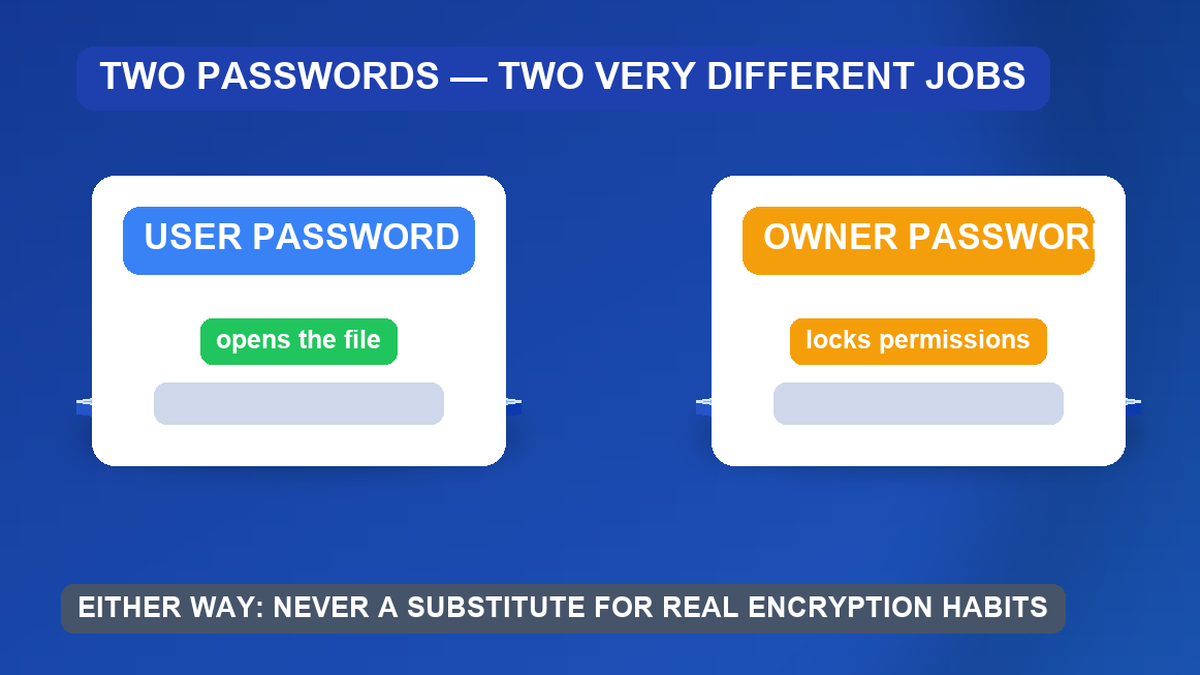
PDF encryption carries two passwords that do completely different jobs — and the industry blurs them until users believe a permission flag is a vault door. Here is the technical reality.
The user password: real encryption
Set via Protect PDF, the user password wraps the document's content streams in encryption (AES where supported). Without it, the content is mathematically unreadable. Strength follows the password: a long, unique passphrase is safe against practical attacks; "1234" is theatre.
The owner password: a request, not a lock
The owner password sets permission flags — no printing, no copying, no editing. Readers honour these flags, but the flags are advisory data in the file, not enforced cryptography. Utilities can strip them in seconds. Use them to communicate intent ("this draft is not for circulation"), never to protect secrets.
What both cannot do
- They cannot follow the file. One forwarded copy without the password undoes the scheme; encryption protects the file, not the secret inside the recipient's inbox.
- They cannot remove content. A password-protected file still contains whatever was never deleted. Passwords gate access; Redact PDF removes.
- They cannot survive a weak password. Brute-force tools make short passwords a delay, not a barrier.
The honest protection workflow
- Remove what must not exist — redact, verify, flatten.
- Encrypt with a long password (Protect PDF).
- Separate the channels — file by email, password by phone. A protected file and its password in the same message is one interception away from nothing.
- Know the ceiling: on hosts without qpdf, the encryption may be 128-bit rather than AES-256 — still effective against casual access, weaker against a determined attacker with computing time.
Inside the PDF /Encrypt Dictionary: RC4, AES-128, and AES-256 Revisions
To understand why a user password acts like a vault while an owner password acts like a polite "Do Not Copy" sign, look inside the /Encrypt dictionary referenced by a protected PDF's trailer. Under ISO 32000, the Standard Security Handler (/Filter /Standard) stores three critical values alongside the cipher configuration: /U (user validation hash), /O (owner validation hash), and /P (a 32-bit signed integer bitmask encoding viewer permissions—Bit 3 for printing, Bit 4 for document modification, Bit 5 for text/graphic extraction, and Bit 6 for annotations and form filling).
Here is the cryptographic catch that surprises almost everyone: if a PDF has an owner password but no user open-password, its content streams are still encrypted—yet the decryption key is derivable from a public constant! Specifically, the PDF specification defines a fixed 32-byte padding array (28 BF 4E 5E 4E 75 8A 41 ...). When you open an owner-restricted PDF without typing anything, your PDF viewer feeds that public empty-password padding into the key-derivation algorithm alongside /O and /P, computes the exact file decryption key automatically, decrypts every page so you can read it on screen, and then voluntarily grays out the Print or Copy menu items out of respect for the /P bitmask. Any decryption utility—including Unlock PDF with the password box left blank—performs the exact same lawful derivation and writes out a clean, unrestricted file in seconds.
When a user (open) password is set, that shortcut vanishes: the file encryption key depends mathematically on the secret passphrase typed by the author, and not a single content stream or image XObject can be inflated without it. Across PDF history, four security handler revisions govern how resilient that key derivation is against offline GPU guessing:
| Security Mechanism | PDF Spec / Handler | Stream Cipher & Key Size | Removable Without Knowing Password? | Real-World Security Verdict |
|---|---|---|---|---|
| Legacy User Password | PDF 1.1–1.3 (R=2) | 40-bit RC4 | No, but 2^40 keyspace breaks in seconds on modern hardware | Obsolete — never rely on legacy 40-bit exports. |
| Standard 128-bit User Password | PDF 1.4–1.6 (R=3 / R=4) | 128-bit RC4 or 128-bit AES-CBC | No — requires the exact password or brute-force guessing | Solid with a long passphrase (14+ mixed characters); Ghostscript fallback level. |
| Modern 256-bit User Password | PDF 1.7 Ext 3 / PDF 2.0 (R=5 / R=6) | 256-bit AES + hardened iterative hashing | No — computationally infeasible to brute-force strong passphrases | Gold standard — preferred by qpdf when available on the host. |
| Owner (Permissions) Password Only | Any revision (R=2..R=6) with empty user password | Encrypted using public empty-password padding | Yes, instantly — leave password blank in Unlock PDF | UI deterrent only — prevents accidental edits, zero secrecy value. |
| Redaction + Metadata Scrub | Fresh unencrypted or encrypted PDF | Content deleted prior to encryption | Deleted bytes do not exist in the file at all | Essential whenever specific clauses must stay hidden even from authorised readers. |
Unlocking Your Own Files Safely and Avoiding Blank-Page Decryption Traps
Knowing which password lock sits on your own file tells you exactly how to use Unlock PDF so downstream browser tools like Merge PDF, Edit PDF, or PDF to PDF/A can open it cleanly:
- File opens normally in your browser, but printing, copying, or merging fails: That file carries an owner permission lock only. Upload it to Unlock PDF and leave the "Current password" box completely empty. The server strips the
/Encryptwrapper and/Prestrictions cleanly. - Viewer stops at a password prompt before showing Page 1: That file carries a user open password. Type the exact password into Unlock PDF—remembering that PDF passphrases are strictly case-sensitive and count accidental leading or trailing spaces pasted from emails.
A subtle server-engineering detail protects your downloads here: when handed an encrypted file with a missing or wrong password, some command-line PDF writers exit quietly and emit a structurally valid PDF containing blank white pages. PDF Tura's Unlock PDF handler checks four independent conditions before delivering a file—zero exit status, valid %PDF- / %%EOF framing, zero authentication errors across both stdout and stderr, and verified page ink—so a mistyped password always returns a clear, honest error message rather than blank sheets. Both Protect PDF and Unlock PDF run on our server over encrypted HTTPS (generate high-entropy passphrases locally first with Password Generator) and auto-delete temporary server copies within one hour.
Frequently asked questions
What is the difference between a user password and an owner password in PDF?
The user password encrypts the content — without it the file is unreadable. The owner password sets permission flags (print, copy, edit) that readers honour but cryptography does not enforce.
Can a PDF password be removed?
Permission-only restrictions can be stripped by common tools. An open password requires brute force — impractical against a long password.
How do I password-protect a PDF for free?
Protect PDF applies standard PDF encryption on our server: pick a password of at least 4 characters — ideally much longer — and the file travels over HTTPS, is encrypted immediately, comes back to your device, and the server copy is auto-deleted within the hour.