Why Some PDFs Shrink 90% and Others Won’t Budge: The Science of PDF Compression
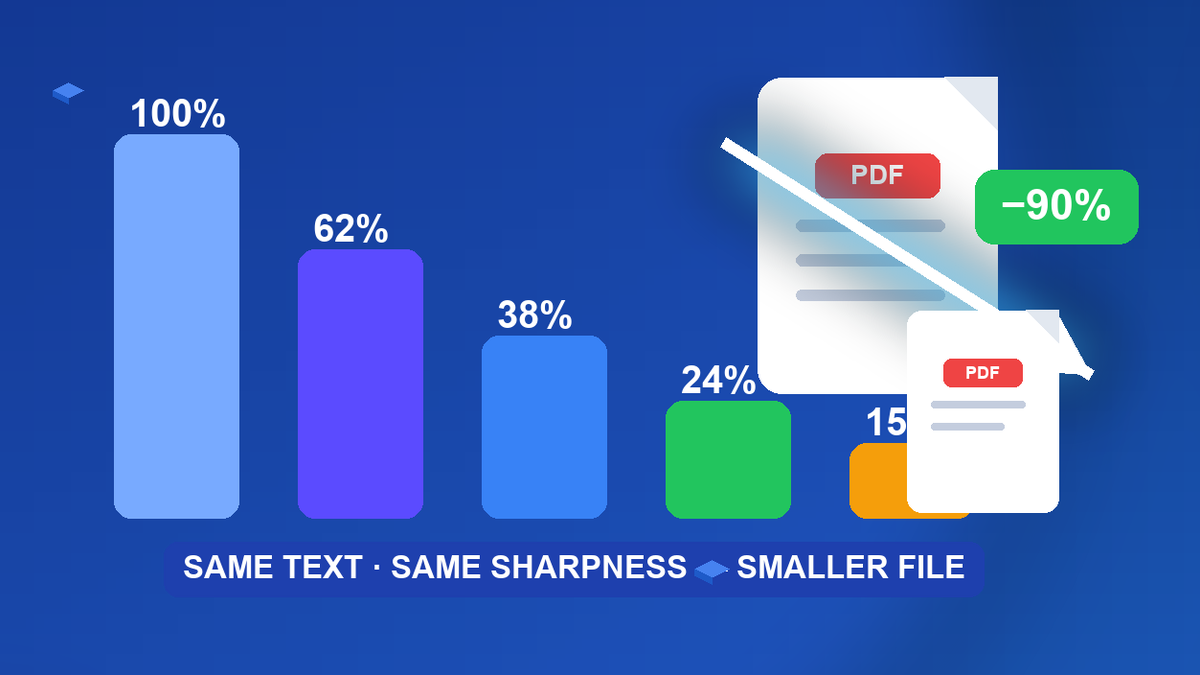
Type "compress pdf" into a search engine and you will find tools promising dramatic savings. Some documents do shrink by 90%. Others come back unchanged. The difference is not the tool’s marketing — it is what the file is physically made of. This article explains the mechanics so you can predict what compression will do before you run it.
What actually takes up space in a PDF
A PDF is a container of objects: page descriptions, fonts, images, and metadata. When a PDF is large, the weight sits in one of four places:
- Images. A scanned page is a photograph stored as JPEG (DCTDecode) or raw bitmap (FlateDecode). A 300 DPI A4 scan is roughly 8.7 million pixels; even at one byte per pixel that is megabytes before compression. This is where 90% of a typical large PDF lives.
- Embedded fonts. A document using three fonts carries those fonts, subsetted or whole. A full CJK font can add tens of megabytes on its own.
- Page content streams. The drawing instructions. Compressed efficiently already; the savings here are structural only.
- Structure waste. Duplicate objects, unused resources from editing history, orphaned bookmarks, and revision baggage left by "incremental saves". Files edited in Word or Acrobat accumulate this quietly.
Why text-only PDFs barely shrink
Text in a PDF is not pixels — it is instructions ("draw glyph 42 of Helvetica at position x,y"). Those instructions are compact and already stream-compressed. Remove every byte of structural waste and a clean text PDF might lose 3–6%. There is nothing more to take without destroying the text itself.
This is why honest tools report small savings on such files instead of pretending otherwise. If a text PDF must get dramatically smaller, the only real move is destructive: rasterize the pages to images and accept that the text stops being selectable.
How image re-encoding works
The big savings come from the images. Compression re-encodes each image in three ways:
- Downsampling. An image at 300 DPI displayed at half its pixel size carries four times the pixels it needs. Resampling to the displayed size removes them permanently.
- Re-quantization. JPEG quality 0.95 re-saved at 0.80 can halve the bytes with little visible change — the discarded data is the high-frequency detail human eyes deprioritise.
- Colour reduction. A scan of a black-and-white document stored as 24-bit colour can drop to 8-bit or 1-bit with no visible loss — an 8× cut on those bytes.
A careful compressor runs the lossless structural pass first, then re-encodes each image against a ceiling, and keeps the smaller candidate. A good one also refuses to save an image that only got 2% smaller, because a quality loss nobody asked for is not worth 2%.
Choosing levels without ruining the document
| Level | Mechanism | Risk |
|---|---|---|
| Light | Gentle ceiling, high-quality JPEG | Nearly invisible; small savings |
| Recommended | Balanced downsample + re-encode | Softness on fine print of photos |
| Strong | Aggressive ceiling | Visible on photographs; fine for text scans |
The rule that matters: the page text is never touched by a reputable tool — it stays as instructions, sharp at any zoom. If a compressed scan looks soft, the damage is in the page photographs, and lowering one level usually fixes it.
The pipeline worth using
Run Compress PDF at Recommended and look at the result before escalating to Strong. If the file must fit a hard limit and still will not, the remaining weight is page count — split the document with Split PDF and send it in parts. And because the tool runs in your browser, trying three levels on a confidential document costs nothing in privacy: the file never leaves your device.
Stream filters inside ISO 32000: DCTDecode, FlateDecode, and incremental-update bloat
Understanding how PDF internal streams encode bytes explains why different visual elements respond so differently to compression. Inside an ISO 32000 PDF file, binary payloads are wrapped in stream dictionaries tagged with a /Filter operator:
/FlateDecode(lossless zlib/DEFLATE). Page drawing commands, vector logos, font tables, and sharp flat-colour charts use LZ77 sliding-window compression paired with Huffman coding. BecauseFlateDecodeis mathematically lossless, re-compressing an already deflated vector stream yields almost zero byte reduction — only unreferenced objects and verbose syntax formatting can be trimmed./DCTDecode(lossy JPEG discrete cosine transform). Continuous-tone photographs and colour page scans divide pixels into8 × 8blocks and quantize high-frequency spatial detail. Lowering the quantization ceiling shrinks byte size sharply, but pushingDCTDecodetoo hard on high-contrast black text against white paper creates faint "mosquito noise" ringing halos around letter stems.- Incremental-save chains (
%%EOFgenerations). Desktop editors often save edits incrementally by appending modified objects and a secondaryxreftrailer to the end of the file rather than rewriting the whole binary. After ten rounds of review comments, form fills, and cropped previews, a 1 MB report can silently carry 4 MB of orphaned object generations, embedded page thumbnails, and verbose XMP history packets. Rebuilding a clean cross-reference stream, flattening annotations (Flatten PDF), and clearing bloat in Edit PDF Metadata strips dead generations without touching visible pixels.
Diagnostic matrix: matching PDF payload anatomy to the right strategy
Before escalating compression strength blindly, identify which internal payload dominates your file and match the workflow accordingly. After running Compress PDF, always inspect one page containing small numbers or fine table borders at 200% zoom to confirm crispness before sending.
| Dominant payload inside PDF | Typical compression yield | Optimal workflow |
|---|---|---|
| 24-bit colour scans at 300–600 DPI | 50–85% smaller | Run Compress PDF at Recommended; trim dark scan edges first in Crop PDF |
| Born-digital text, LaTeX equations, and vector CAD lines | 2–8% smaller | Lossless structural cleanup only; split large page counts via Split PDF if a portal caps size |
| Multi-round annotated proof with incremental-save history | 15–45% smaller | Lock overlays in Flatten PDF, clean properties in Edit PDF Metadata, then compress |
| Mixed report with 30 text pages + 4 raw smartphone photos | 60–80% smaller | Compress PDF leaves the 30 text pages sharp while downsampling only the 4 oversized photos |
| Unsubsetted multi-weight or CJK embedded fonts | 5–15% smaller | Font tables are protected so glyphs never break; extract required pages via Extract Pages for strict caps |
Frequently asked questions
Why did my compressed PDF barely get smaller?
The file was probably already efficient — typed text with clean fonts has almost nothing removable. Compression savings come from page images, and a text-only PDF has none.
Can PDF compression damage the text?
No. Text is stored as drawing instructions and fonts, not pixels; both passes leave it untouched. What can soften is the photographs of pages inside a scanned document.
How much smaller can a scanned PDF get?
Scans routinely lose 50–80% at a balanced level, because the page photographs dominate the size and re-encode very well.
Does compressing a PDF remove its fonts or images?
No. Images are re-encoded at a lower quality, but they stay; fonts and text are left exactly as they were.
Is online PDF compression safe for confidential files?
Only if the file never leaves your device. A browser-based tool like Compress PDF processes the document inside your tab, so nothing is uploaded — verify any tool you use makes the same claim.