How AI Assistants Read Your PDF — and Why a Clean Text Layer Decides Everything
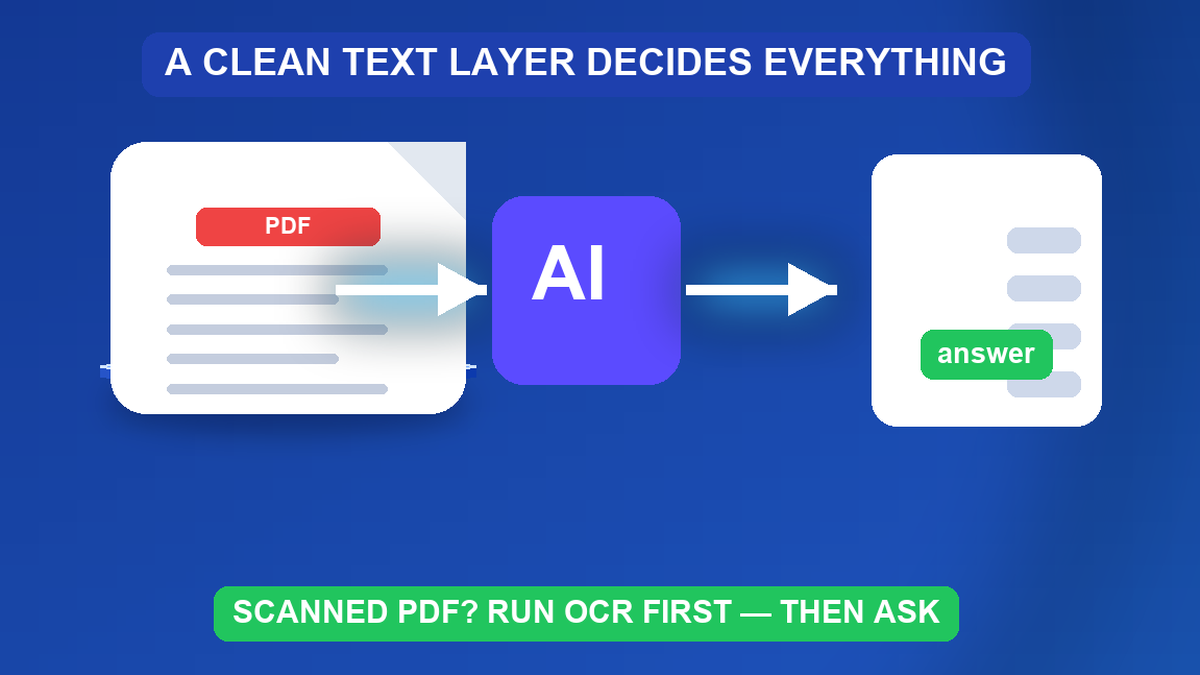
When you hand a PDF to ChatGPT or Gemini, the model does not "see" the page the way you do. It reads a pipeline, and every stage of that pipeline can be broken by the document itself. Understanding the pipeline tells you exactly how to prepare documents for the AI era.
Stage 1 — Extraction
The assistant needs text. A digital PDF offers its text layer; a scan offers pixels. Without a text layer there is nothing to read — which is why OCR PDF is the first step for any scanned document you want AI to work with.
Stage 2 — Chunking
Long documents are split into passages (chunks) before the model sees them. Chunking follows structure: headings, sections, paragraphs. A document with clear headings chunks cleanly, so retrieved passages are coherent; a wall of text chunks arbitrarily, and answers quote fragments.
Stage 3 — Embedding and retrieval
Each chunk becomes a vector; the question becomes a vector; the nearest chunks are fed to the model as context. If the relevant passage was mangled at extraction (broken tables, scattered columns), retrieval grabs the wrong fragment — and the answer fails upstream of the model.
What this means for your documents
- Keep the text layer intact. Selectable, searchable text is AI-readable text — never re-render documents you want AI to work with.
- Headings are retrieval anchors. Descriptive section headings let the chunker cut at meaningful boundaries.
- Tables should be tables. A table rendered as spaced text confuses extraction; a real table structure survives.
- Scans need OCR before they exist for AI. OCR PDF writes the invisible layer that the pipeline reads.
Getting better AI answers from the same document
The quality of an AI answer tracks the quality of the text you hand it, and three habits move the needle more than any prompt trick. Give the model a clean text layer: a scanned page pasted as an image forces the model to guess, so run OCR PDF first when the document is a scan. Keep the relevant section together: splitting a 200-page manual into the chapter you actually care about keeps the answer anchored instead of diluted. And ask about what the document says — the assistant is instructed to stay inside the material, so questions about outside facts get honest refusals rather than inventions.
Chat with PDF reads the text you paste and answers only from it, which is why quotes stay verifiable. One practical workflow: extract with PDF to Text, paste the section, ask for the three obligations that matter, then verify each against the page number the answer cites.
Context Windows, Token Budgets, and Why Layout Geometry Breaks Extraction
A PDF content stream does not store paragraphs, lists, or table rows the way HTML or Word documents do. Instead, page streams position short glyph strings on a two-dimensional coordinate plane using text-matrix operators (Tm, Td, and kerning arrays inside TJ). When an AI assistant's ingestion parser extracts text from that stream, it must infer reading order purely from (x, y) coordinates—and complex visual layouts routinely fool simple coordinate sorting.
Three geometric traps account for most hallucinated or incomplete AI answers on business and academic PDFs:
- Multi-column interleaving: In a two-column journal paper or financial statement, a naive extractor sorting strictly top-to-bottom reads Line 1 of the left column followed immediately by Line 1 of the right column, splicing unrelated sentences together before the chunker ever sees them.
- Repeating running furniture: Headers, footers, Bates stamps, and diagonal watermarks appear as real text objects on every single page. Left intact, they slice mid-paragraph sentences that wrap across page breaks and inject identical boilerplate phrases into every vector chunk, skewing cosine-similarity scores during retrieval.
- Subword token inflation from noisy OCR: Large language models read subword tokens rather than visual words. Clean English prose averages roughly 1.3 tokens per word, whereas raw, uncleaned scan noise—broken hyphenations, stray vertical-bar characters from table borders, and misread glyphs like
l1ab1lity—splits common words into three or four subword fragments. That inflation burns through context budgets twice as fast and triggers "lost-in-the-middle" attention drop-off on long agreements.
Privacy Boundaries and Pre-Processing Workflows Before Prompting AI
Preparing a PDF locally before handing text to an AI model solves both accuracy and confidentiality problems at the same time. Tools that execute inside your browser tab let you inspect, trim, redact, and OCR sensitive files on your own device first, ensuring only the exact passage you intend to share ever travels over the network to an external AI provider.
| Document Condition | Pipeline Failure Mode | Local Pre-Processing Step | Recommended Tool Workflow |
|---|---|---|---|
| Flat scanned contract or book chapter | Zero extractable characters; LLM receives empty context or relies on lossy page thumbnails. | Run on-device browser recognition to build a real UTF-8 text layer before extracting text. | OCR PDF (local in browser) → PDF to Text |
| Photograph of a receipt, notice, or printed table | Skew, shadows, or dark banners degrade raw character output. | Extract text via Smart AI OCR for public pages, or switch to Browser (Private) mode for confidential scans. | Image to Text → Clean Extracted Text |
| 180-page policy manual when only Annex B matters | Retrieval pulls similarly worded clauses from irrelevant chapters and dilutes citations. | Slice out only the target page range locally so 100% of the context window focuses on the right section. | Extract Pages or Split PDF → Chat with PDF |
| Agreement containing client names, IDs, or bank numbers | Full-file cloud upload exposes personally identifiable information to external inference logs. | Permanently burn out sensitive fields locally in your browser before summarizing or querying clauses. | Redact PDF → PDF to Text → AI Text Summarizer |
| Financial schedule with multi-column figures | Copy-paste collapses column boundaries into unreadable space-separated numbers. | Pull structured cells into a spreadsheet locally or convert messy pasted rows into clean CSV. | PDF to Excel or Extract Table to CSV |
Keep the architectural boundary clear when handling regulated records: OCR PDF, PDF to Text, Extract Pages, and Redact PDF run entirely inside your browser with zero upload, whereas AI text tools—including Chat with PDF, AI Text Summarizer, and the default AI mode of Image to Text—transmit your submitted prompt or image over HTTPS to an AI model provider.
Frequently asked questions
Can ChatGPT read a scanned PDF?
Only after the scan has a text layer. Run it through OCR first — OCR PDF writes the invisible text that the assistant's extraction reads.
Why does the AI answer questions about page 1 but not page 15?
Retrieval matched chunks, not pages: page 15's passage may have been fragmented by poor structure, or its text layer is broken. Clean headings and intact text layers fix both.
How should I format documents for AI assistants?
Like documents for humans with good bones: real headings, real paragraphs, real tables, selectable text — the structure that helps readers also helps the chunker.